
Introduction
In this new digital world, accessibility became not only important, but mandatory, ensuring everyone, regardless of their abilities, can seamlessly interact with technology. Accessibility design goes beyond compliance; it fosters inclusivity by creating interfaces that are usable and enjoyable for all users. By integrating accessibility principles into UX/UI design, we can remove barriers and provide equal access to digital experiences.
This article explores the critical aspects of accessibility design and how it paves the way for a more inclusive digital future. 👨👩👧👦
What is accessibility?
At its core, accessibility design is about inclusivity and equal access. It’s a recognition that the digital world should be open and usable for everyone, not just those without disabilities. By adhering to established guidelines such as the Web Content Accessibility Guidelines (WCAG), designers and developers can create more inclusive experiences. These guidelines provide a comprehensive framework for making web content more accessible to people with disabilities.
Ultimately, accessibility in design is about removing barriers and ensuring that everyone, regardless of their physical or cognitive abilities, has the opportunity to fully participate in the digital landscape.
Now that we understand the importance of accessible design, let’s explore the various types of accessibility that ensure inclusivity for all users.
Types of accessibility issues
Visual
Visual accessibility issues, such as color blindness, require thoughtful design to ensure inclusivity. Color blindness affects how users perceive colors, which can make it difficult to distinguish between elements that rely solely on color differentiation.
To address this issue, designers should use high-contrast color schemes and avoid relying on color alone to convey information. Incorporating patterns, textures, or labels alongside color cues can help make visual content more accessible. For example, in the case bellow, we have the error status in various component based on iconography and color.
Additionally, providing options for users to customize their color settings or enabling a colorblind-friendly mode can further enhance accessibility, ensuring all users can effectively interact with and understand the content.

Cognitive and learning
Cognitive and learning accessibility issues require designs that take into account users with diverse cognitive disabilities. These issues can include difficulties with memory, attention, problem-solving, and comprehension.
To create more inclusive designs, it’s essential to present information in clear, straightforward language and organize content logically. Providing visual aids, such as icons and diagrams, can help users better understand and retain information. Additionally, offering customizable settings, like adjustable reading levels or simplified interfaces, can support users with varying cognitive needs.
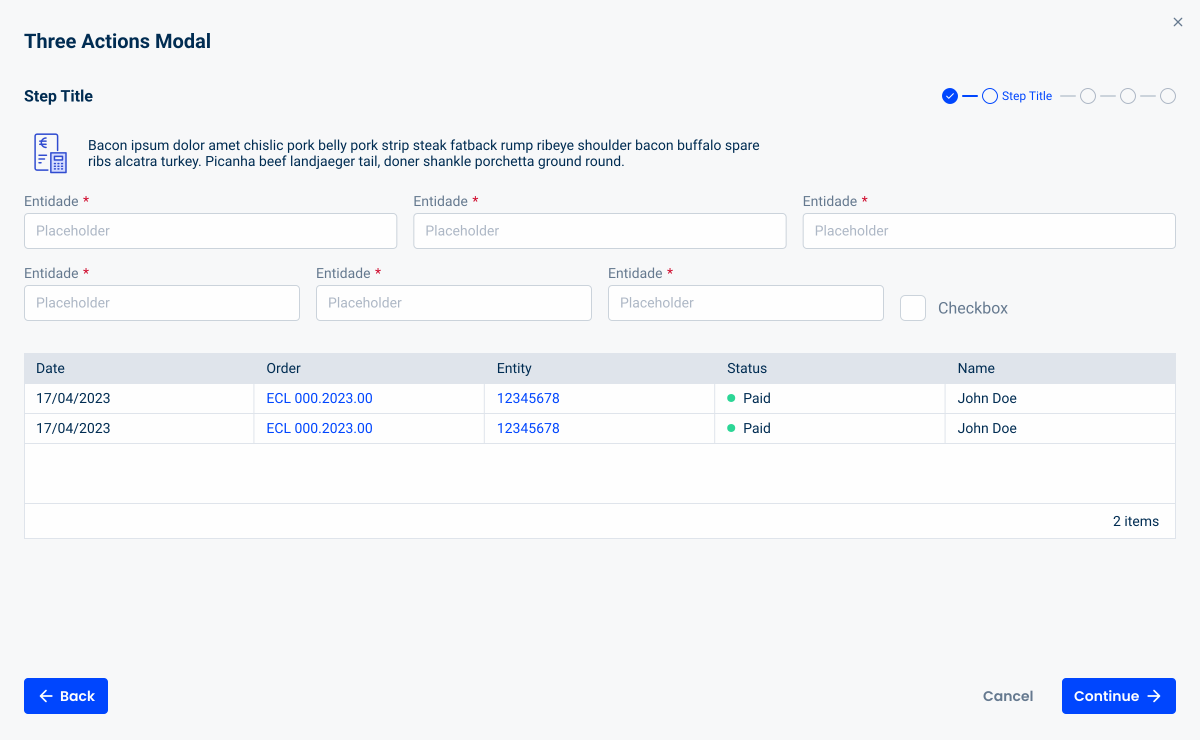
In this case of accessibility issues, steppers and modals can be helpful to maintain the user focused in a single flow.
Hearing
Hearing accessibility issues require design considerations that accommodate users with hearing impairments. To make digital content more inclusive, it’s important to provide alternative ways to access audio information.
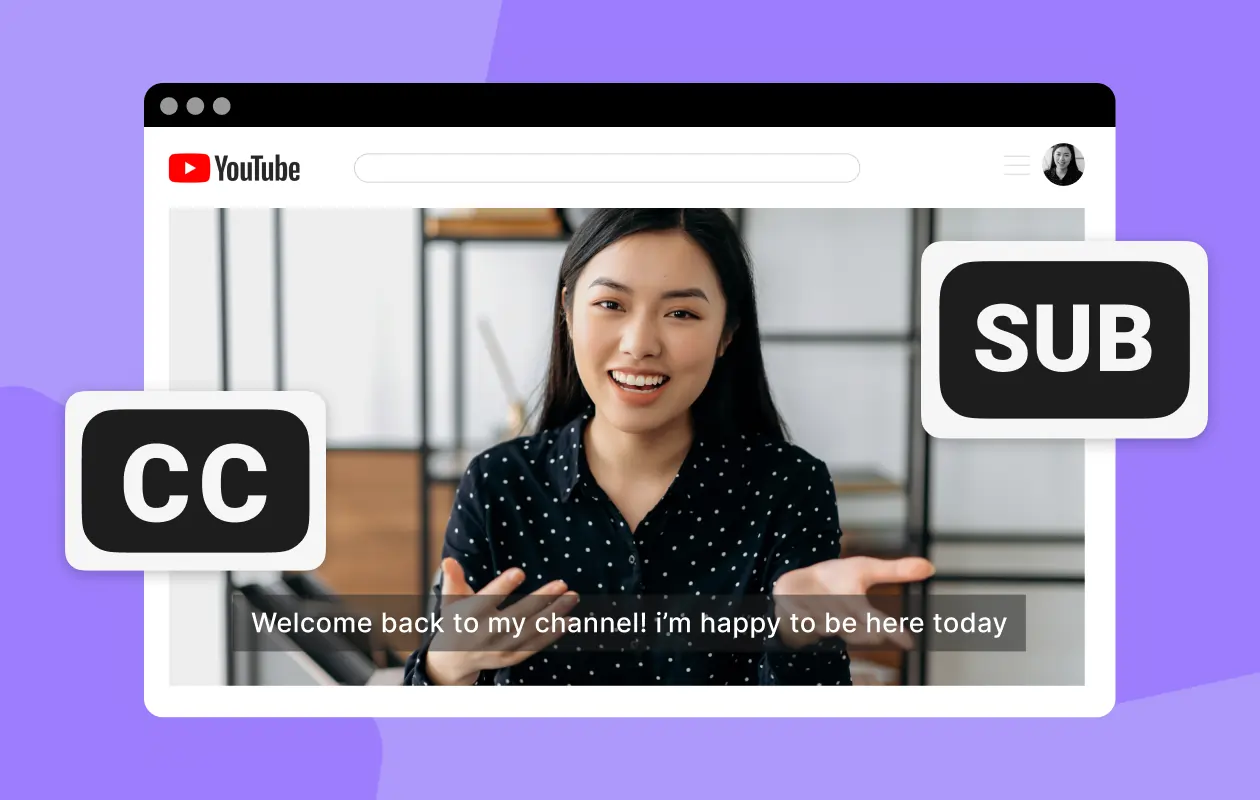
This includes offering transcripts for spoken content and subtitles or captions for videos. Ensuring videos have high-quality and synchronized captions enables users to follow along accurately. In the case of the video below, for example, Youtube has automatically generated captions. Additionally, visual notifications and cues should be used to supplement audio alerts, ensuring important information is conveyed through multiple channels.
By integrating these features, designers can create accessible digital experiences that are usable for individuals with hearing impairments.
Motor
Motor accessibility issues require designs that cater to users with varying levels of dexterity and mobility. This includes individuals who may have difficulties using traditional input devices like a mouse or keyboard due to conditions such as arthritis, tremors, or paralysis.
To enhance accessibility, designers should implement features like keyboard navigation, voice control, and support for alternative input devices such as adaptive switches or eye-tracking systems. Interactive elements should have ample size and spacing to prevent accidental clicks and ensure they are easy to target. For the example of keyboard navigation, a focus state is used to indicate which field is selected.
Additionally, providing customizable control options allows users to tailor the interface to their specific needs, ensuring a more inclusive and accessible experience for individuals with motor impairments.

Inclusive Design Benefits
1. Wider audience reach
Inclusive design ensures your product or service is accessible to a broader audience, including individuals with disabilities. By accommodating diverse needs, you can attract and retain more users, expanding your market reach.
2. Increased usability
Inclusive design often leads to more user-friendly products. Simplified interfaces, clear instructions, and alternative input methods improve usability for all users, including those with temporary impairments or situational limitations.
3. Innovation and creativity
Focusing on inclusive design challenges teams to think creatively and innovatively. Finding solutions to accessibility issues often leads to new ideas and advancements that can improve the overall design and functionality of your product.
Conclusion
Incorporating accessibility design is a fundamental aspect of creating inclusive digital experiences. By addressing visual, cognitive, hearing, and motor accessibility issues, designers can ensure their products are suitable for everyone, regardless of their abilities. The benefits of inclusive design extend beyond compliance; they enhance user experience, increase market reach, and build a positive brand reputation.
By embracing inclusive design principles, we not only create better products, but also contribute to a more equitable and inclusive society. As we continue to innovate in this new digital world, accessibility must remain at the forefront of our design efforts, ensuring technology serves as a bridge, not a barrier, for all users.